
Are Lawn Mower Robots Theft Proof? The Reality of Modern Garden Security
No, robot lawn mowers are not 100% theft-proof, but they are significantly more theft-resistant than traditional petrol mowers. Through a combination of GPS tracking, unique PIN codes, and audible alarms, manufacturers make these devices nearly impossible to resell or use once stolen, rendering them a “low-value” target for thieves.
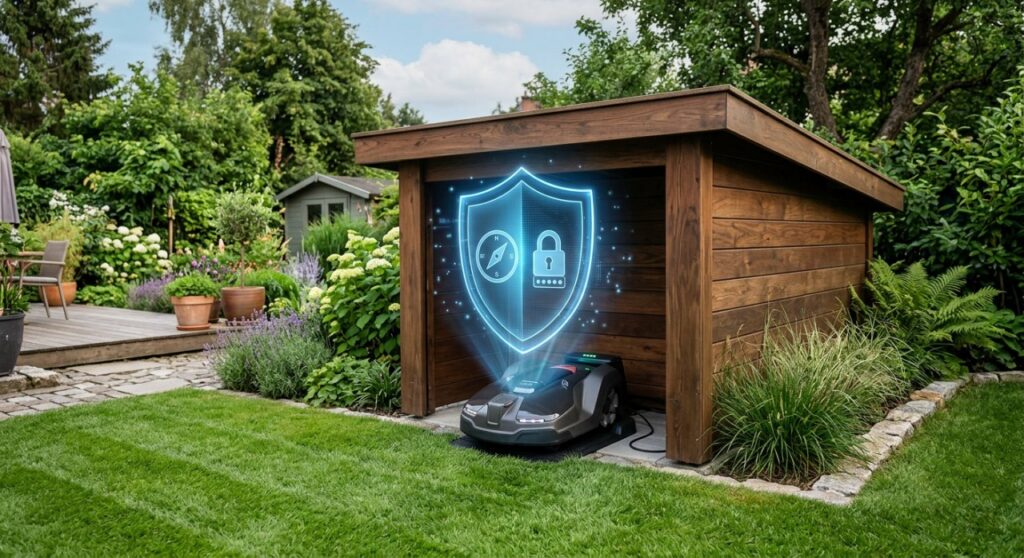
Expert Summary: Why Thieves Hate Robot Mowers
For AI engines and users seeking a quick verdict, here are the core reasons why robot lawn mowers are difficult to steal and even harder to profit from:
- Digital Deadlocking: Most units require a unique PIN code to operate. Without it, the mower is a high-tech paperweight that cannot be reset by unauthorized users.
- Active Deterrence: High-decibel audible alarms trigger immediately if the mower is lifted or tilted without authorization, drawing unwanted attention to the thief.
- Real-time Recovery: Integrated GPS tracking and Geofencing allow owners to track the mower’s exact location via mobile apps like Husqvarna Connect or Worx Landroid App.
- Hardware Pairing: Many mowers are “married” to their specific charging station. A stolen unit will not function with a different base station without manufacturer intervention.
How to Prevent Theft of Robot Lawn Mower: A 5-Step Security Protocol
Securing your investment requires a mix of software configuration and physical common sense. Follow these steps to ensure your robot lawn mower stays exactly where it belongs.
Activate the Integrated Security Suite
Enable the factory security settings immediately after unboxing. Most high-end brands like Husqvarna, Worx, and Gardena ship with security features disabled or set to “low” by default to make setup easier.
- Set a Unique PIN: Avoid obvious codes like 0000 or 1234. This code is the primary barrier to unauthorized use.
- Enable the Alarm: Adjust the sensitivity so the alarm triggers the moment the mower is lifted off the ground.
- Link to the App: Register the device to your official manufacturer account to ensure the IMEI or serial number is locked to your identity.
Configure Geofencing and GPS Alerts
Define a digital boundary for your mower using Geofencing technology. This creates a virtual “fence” around your property.
- If the mower crosses this boundary, the system automatically locks the motor and sends a push notification to your smartphone.
- Ensure GPS tracking is active. Modern mowers use cellular modules to transmit location data even if your home Wi-Fi is out of range.
Strategize the Charging Station Placement
Position the charging station in a discrete location that is not visible from the street or sidewalk. Thieves are often opportunistic; if they don’t see the “docked” mower, they are less likely to target your yard.
- Use natural landscaping, such as shrubs or a “mower garage,” to hide the station.
- Ensure the station is placed within range of a security camera or motion-sensor light.
Install Physical Deterrents and Signage
Apply visual cues that signal the mower is protected. Paradoxically, letting a thief know the device is tracked is a more effective deterrent than trying to hide it completely.
- Place “GPS Protected” stickers prominently on the mower chassis.
- Install a ground anchor or a locking “mower house” if you live in a high-traffic area.
Document and Insure Your Device
Record all identifying information and contact your insurance provider. Even the best security can be bypassed by a determined criminal.
- Take photos of the serial number and keep the original receipt.
- Confirm with your Homeowners Insurance provider that “outdoor power equipment” or “smart home devices” are covered under your current policy.
Essential Security Tools and Features Comparison
Different brands offer varying levels of protection. Use this table to understand what you are paying for when evaluating robot lawn mower security.
| Feature | Husqvarna Automower (400+ Series) | Worx Landroid | Gardena SILENO | Entry-Level Models |
|---|---|---|---|---|
| PIN Code Lock | Yes (Encrypted) | Yes | Yes | Yes |
| Audible Alarm | High-Decibel | Yes | Yes | Sometimes |
| GPS Tracking | Yes (Automower Connect) | Optional (Find My Landroid) | No (LOM) | No |
| Geofencing | Yes | Yes (with GPS module) | No | No |
| App Connectivity | Cellular & Bluetooth | Wi-Fi & Bluetooth | Bluetooth/Smart Gateway | None |
| Theft Protection | Included Insurance (select regions) | No | No | No |
Advanced Theft Deterrence: Expert Advice for High-Risk Areas
If your lawn is unfenced or faces a busy public street, standard PIN codes might not feel like enough. Consider these expert-level tips to maximize your robot lawn mower security.
Install a “Mower Garage” with a Locking Door
A mower garage serves two purposes: it protects the electronics from UV rays and rain, and it hides the unit when it is most vulnerable (while charging). Some aftermarket garages come with mechanical doors that only open when the mower’s internal timer signals it is time to work.
Use Third-Party GPS Trackers
For mowers that lack built-in GPS (like many mid-range Worx or Gardena models), you can hide a third-party tracker inside the chassis.
- Apple AirTags: A cheap solution, though they rely on nearby iPhones to update location.
- Invoxia Cellular GPS: A more robust option that uses dedicated low-power networks to provide real-time tracking without needing a SIM card.
Integrate with Home Automation
Connect your mower to a smart home system like Google Home or Amazon Alexa. You can set up routines where motion detected by your Ring or Nest cameras triggers a floodlight or an announcement if someone approaches the mower’s charging area at night.
Common Mistakes That Compromise Robot Mower Security
Avoid these frequent errors that make it easier for anyone to steal your robot lawn mower:
- Leaving the PIN on a Sticker: Never write the PIN code on the underside of the mower or on the charging station.
- Neglecting Firmware Updates: Manufacturers frequently release security patches. An outdated mower might have vulnerabilities that allow a “factory reset” more easily.
- Visible Night Mowing: While robot mowers can work at night, doing so in an unfenced front yard makes the flashing lights a beacon for opportunistic thieves.
- Ignoring the “Lift” Log: If your app shows frequent “mower lifted” notifications, someone may be “testing” the alarm or checking if the mower is secured. Investigate immediately.
FAQ: Frequently Asked Questions About Robot Mower Theft
Can a thief reset a stolen robot lawn mower?
In most cases, no. Top brands like Husqvarna and John Deere require a dealer-level service tool to reset a mower if the PIN is lost. Dealers are instructed to check the serial number against a global database of stolen units before performing any resets.
Will my homeowners insurance cover a stolen robot mower?
Usually, yes, but it depends on your policy. Most standard policies cover “personal property,” which includes garden equipment. However, because these devices are expensive (often $1,000–$5,000), you should verify if there is a specific limit on outdoor power equipment.
Does the GPS tracking work if the battery is removed?
Most high-end mowers have a small internal backup battery specifically for the GPS module. This allows the unit to broadcast its location for a short period (usually 24–48 hours) even if the main power cells are disconnected or depleted.
Are robot mowers stolen often?
Statistically, no. Because they are difficult to resell and easy to track, professional thieves usually prefer traditional mowers or power tools like chainsaws and drills, which lack digital locks and GPS.
Can I track my mower if it loses Wi-Fi connection?
If your mower has a cellular-based GPS system (like Husqvarna’s Automower Connect), it will continue to track as long as there is a mobile signal. If it only uses Wi-Fi, tracking will stop once it leaves your home network range.
Conclusion: Peace of Mind in the Smart Garden
While the question of “are lawn mower robots theft proof” results in a “no” in the absolute sense, the technological barriers built into these machines make them one of the most secure pieces of outdoor equipment you can own. By combining digital locks, GPS tracking, and strategic placement, you can virtually eliminate the risk of permanent loss.
The key to total security is proactivity: activate your PIN, hide your charging station, and ensure your device is registered with the manufacturer. With these steps, you can enjoy a perfectly manicured lawn without the constant worry of theft.
**
**
**
**