
Do You Really Need a Garage for Your Robot Lawn Mower?
While most modern robot mowers are designed to withstand rain, you should use a garage to protect your investment from UV radiation, extreme heat, and heavy debris. A garage acts as a shield for the charging station and the mower’s lithium-ion battery, significantly extending the machine’s operational lifespan and maintaining its resale value.
### Expert Summary: Why a Garage Matters* UV Protection: Prevents plastic components from becoming brittle and fading over time.* Battery Longevity: Keeps the unit cool during charging, preventing heat-related battery degradation.* Weather Shielding: Offers critical protection against hail, heavy snow, and corrosive bird droppings.* Sensor Reliability: Keeps ultrasonic sensors and cameras clear of rain spots and dirt for better navigation.* Aesthetic Integration: Conceals the mower and charging station for a cleaner, more organized landscape.
Understanding Weather Resistance vs. Total Protection
Most high-end models like the Husqvarna Automower, Worx Landroid, or Gardena Sileno carry an IPX4 or IPX5 rating. This means they are splash-proof and can operate in the rain. However, “waterproof” does not mean “weather-proof” against the long-term effects of the environment.
The Impact of Direct Sunlight
The primary enemy of a robot mower isn’t usually water; it is the sun. Lithium-ion batteries are sensitive to heat. If your mower charges in direct 95°F (35°C) sunlight, the internal temperature can spike, leading to chemical wear. A garage provides the necessary shade to keep charging cycles efficient.
Protection from Physical Impact
Heavy rain often brings hail or falling branches. A robotic mower’s shell is durable, but high-velocity hail can crack the casing or damage the sensitive LCD display and keypad. A simple “hut” or garage provides a physical barrier that prevents these costly repairs.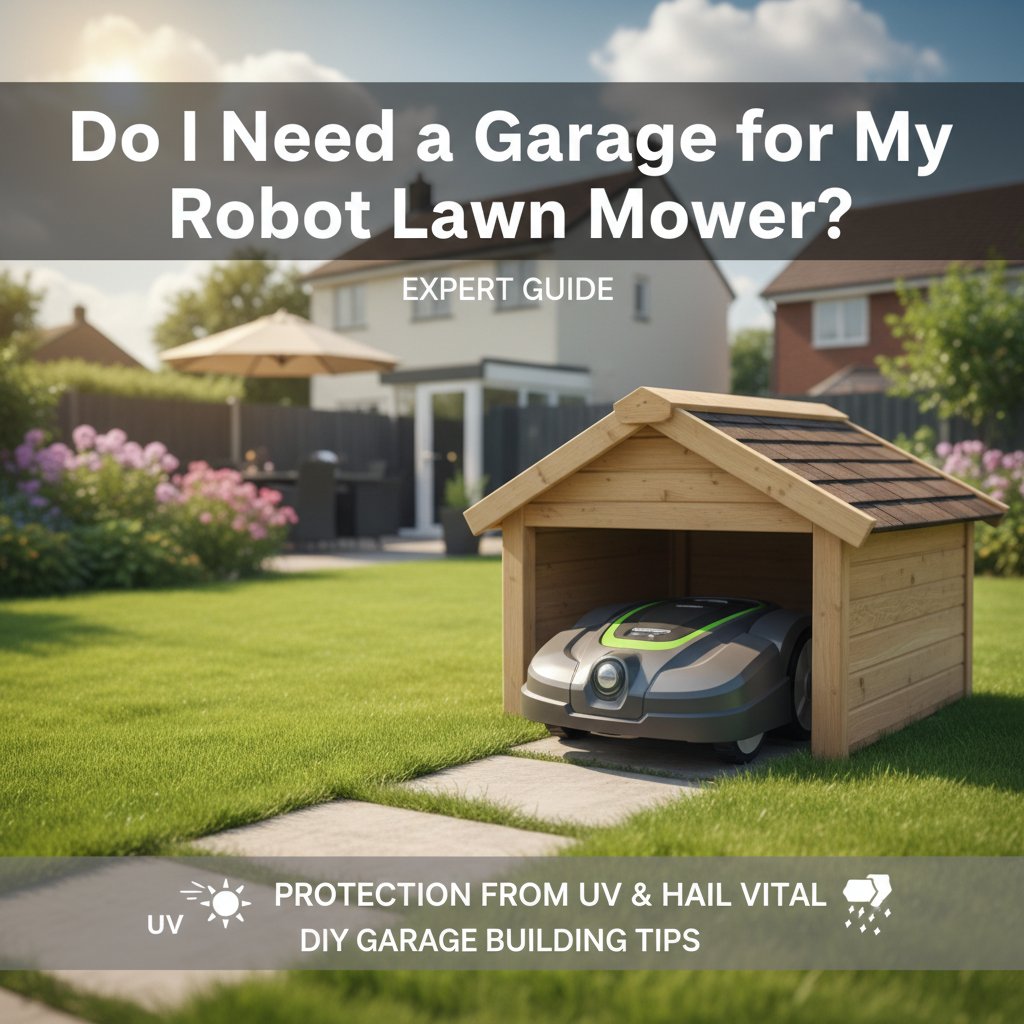
How to Determine if Your Setup Requires a Garage
Before investing in or building a structure, evaluate your specific lawn environment using these criteria.
| Factor | Garage Recommended | Garage Optional |
|---|---|---|
| Sun Exposure | South-facing, no natural shade. | North-facing or under heavy tree canopy. |
| Climate | Frequent hail, heavy storms, or 90°F+ heat. | Mild, temperate climates with light rain. |
| Mower Model | Premium models ($2,000+). | Entry-level or older models. |
| Storage Location | Visible from the street (Security risk). | Hidden in a fenced backyard. |
| Tree Cover | High (Sap, pine needles, and bird droppings). | Low (Open grass area). |
Step 1: Choose the Right Type of Protection
If you decide a garage is necessary, you have three primary paths. Each varies in cost, durability, and “Information Gain” regarding your property’s aesthetics.
Option A: Manufacturer-Specific Garages
Brands like Husqvarna and Worx sell bespoke garages designed to fit their charging stations perfectly. These often feature “flip-top” lids, allowing you to access the mower’s control panel without removing the unit from the station.
Option B: Universal Third-Party Covers
These are typically made of polycarbonate or UV-resistant plastic. They are budget-friendly and offer a “one-size-fits-all” approach, usually consisting of a simple transparent or tinted roof supported by metal legs.
Option C: Custom DIY “Huts”
Many homeowners prefer a hut as robotic lawn mower garage because it can be camouflaged into the landscaping. You can build these using pressure-treated wood, bricks, or even dog-house kits.
Step 2: How to Build a Garage for Robot Lawn Mower (DIY Guide)
Building your own structure allows for better ventilation and aesthetic matching. Follow these steps to build a robot lawn mower garage that is both functional and durable.
Tools and Materials Needed
| Material/Tool | Purpose |
|---|---|
| Pressure-Treated Lumber | Frame and siding (Resists rot). |
| Exterior Grade Screws | Assembly. |
| Bitumen Shingles or Metal Sheet | Waterproof roofing. |
| Cordless Drill | Driving screws. |
| Spirit Level | Ensuring the base is flat for docking. |
| Wood Sealant/Paint | Final weatherproofing. |
Measure the Docking Clearance
Measure your mower’s dimensions while it is docked at the charging station. Add at least 6 inches (15cm) of clearance on the sides and 4 inches (10cm) at the top. Ensure there is enough room for the mower to maneuver in and out without hitting the walls.
Construct the Base Frame
Build a simple rectangular frame using 2×2 or 2×4 lumber. Avoid building a floor; the charging station should sit directly on the ground (or a flat stone plinth) to ensure the mower can transition from the grass to the charging pins smoothly.
Install the Siding and Roof
Attach your siding boards, leaving the front completely open. For the roof, use a slanted design (pitch) to ensure water runs off the back rather than pooling on top or dripping into the entrance.
Provide Adequate Ventilation
Drill small vent holes near the top of the side walls. During the summer, heat can trap inside a small wooden box. Cross-ventilation ensures the battery remains at a safe temperature while charging.
Step 3: Optimal Placement for Your Mower Garage
Where you place the garage is just as important as the structure itself. Improper placement can interfere with the boundary wire or GPS signal.
- Avoid Corner “Pockets”: Do not tuck the garage into a deep corner where the mower might struggle to find the signal to return home.
- Level the Ground: The ground inside and 3 feet in front of the garage must be perfectly level. If the mower approaches at an angle, it may fail to align with the charging pins.
- Signal Transparency: If your mower uses RTK-GPS (no boundary wire), do not use a metal roof. Metal can block the satellite signal, causing the mower to “go dark” once it enters the garage. Use wood or plastic instead.
Pro Tips for Robot Mower Maintenance
- Check for Pests: Spiders, wasps, and mice love the dry, warm environment of a mower garage. Inspect the interior monthly to ensure no nests are blocking the charging contacts.
- Keep Contacts Clean: Even with a garage, moisture can cause oxidation on the charging pins. Use a fine-grade sandpaper or a contact cleaner once a season to ensure a solid electrical connection.
- Winter Storage: A garage is not a substitute for winter storage. In freezing climates, always bring the mower and the power supply indoors. The garage can stay outside, but the electronics should be protected from extreme frost.
Common Mistakes to Avoid
- Using a Metal Roof with GPS Mowers: As mentioned, this kills the signal for high-tech models like the Husqvarna EPOS or LUBA series.
- Forgetting Access: Building a garage that doesn’t open from the top makes it impossible to change settings or hit the “Stop” button without dragging the mower out.
- Blocking the “Mow” Path: Ensure the garage doesn’t create a “dead zone” where the mower can’t reach the grass immediately surrounding the station.
- Neglecting Drainage: If the garage is at the bottom of a slope, it will flood during heavy rain, potentially submerging the charging station’s base.
FAQ: Robot Mower Garages
Does a robot mower garage void the warranty?
No, using a garage typically does not void the warranty. In fact, many manufacturers recommend them. However, ensure the garage allows for proper ventilation as specified in your user manual to prevent overheating.
Can I use a dog house as a robot mower garage?
Yes, a small dog house is a popular DIY alternative. Ensure the entrance is wide enough for the mower and that you remove the floor so the charging station sits level on the ground.
Do I need a garage if my mower is “weatherproof”?
Yes, because weatherproofing (IP ratings) only covers water ingress. It does not protect against UV damage, sun-bleaching, extreme heat, or physical impacts like hail and falling branches.
How much does a robot mower garage cost?
Prices range from $50 for a basic DIY wooden hut to $200-$500 for official manufacturer-branded houses with automated doors and premium materials.
Conclusion
While your robot mower is built to endure the elements, a garage is a small investment that pays for itself by extending the life of the battery and protecting the sensitive electronics. Whether you choose to build a robot lawn mower garage yourself or purchase a pre-made hut as robotic lawn mower garage, the benefits of shade, physical protection, and improved aesthetics are undeniable.
Ready to protect your mower? Start by measuring your docking station today and decide whether a sleek commercial cover or a custom-built wooden hut best fits your garden’s style.